
Hover over “My Surveys” and click on “Ongoing Surveys” that appears.
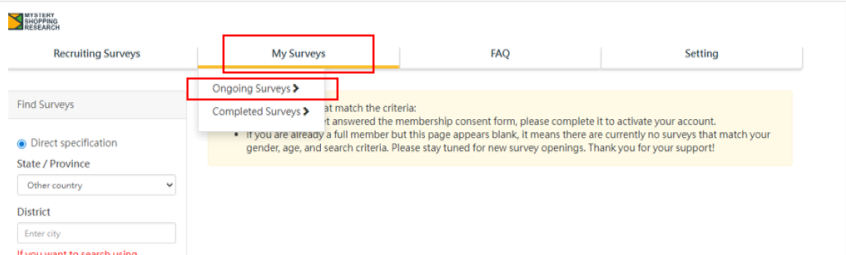
You can check the list of surveys you have been assigned.The stores shown under “Survey of participating stores” are the surveys currently in progress.
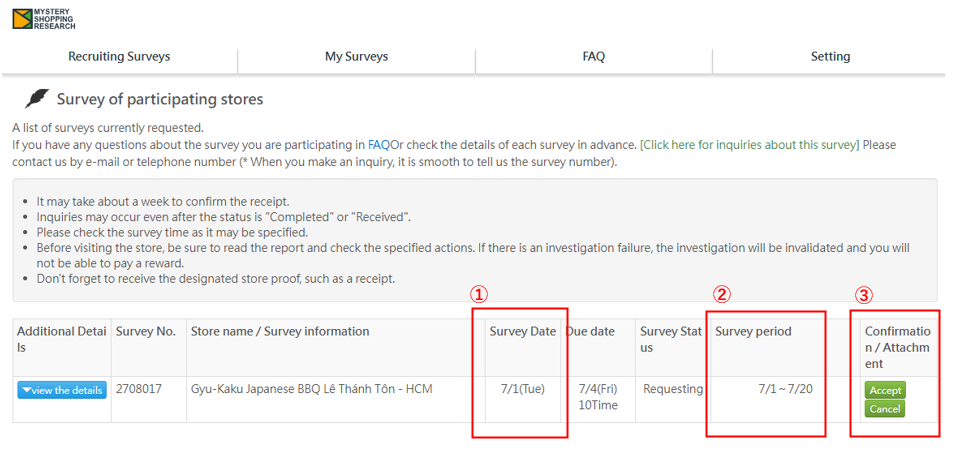
①Survey Date
Before acceptance, a tentative survey date is set, but you can change it when you accept the survey.
②Survey period
You will need to set the survey date within the displayed survey period.
Please select the date according to your own schedule.
③Confirmation / Attachment
Please choose either 【Accept】 or 【Cancel】 for this survey.
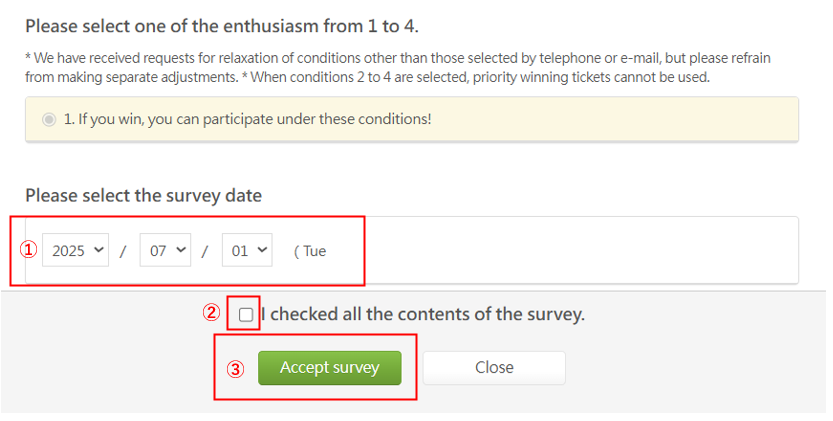
If you wish to accept,
- select the survey date,
- check the box, and
- click 【Accept survey】to complete acceptance!