
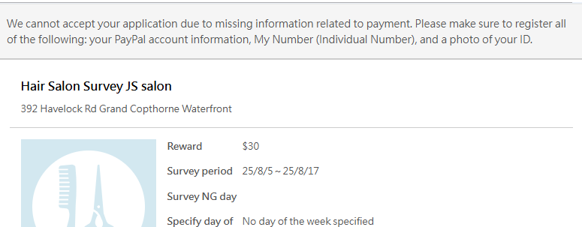
If you see an alert like the one below when trying to accept the survey, it is likely due to missing information in your membership profile.
★How to Fix★
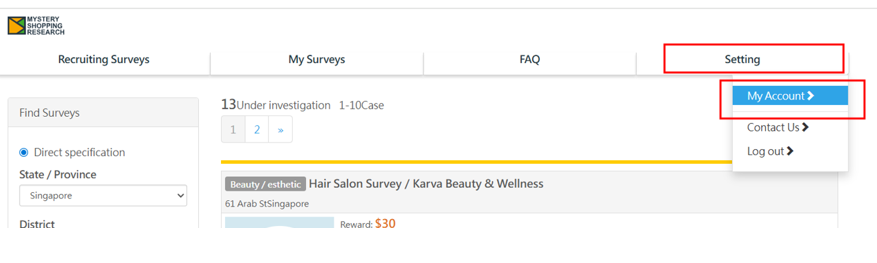
Select 【My Account】 and open the page.
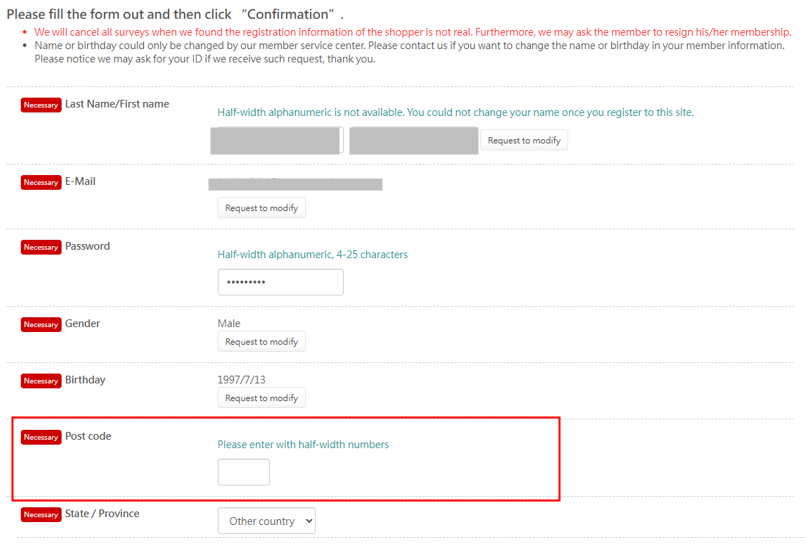
Please enter the correct information in any fields that are missing input, as shown below.
Even if you do not have specific information to enter, please fill in the field with some text or numbers to ensure that there are no blank sections.
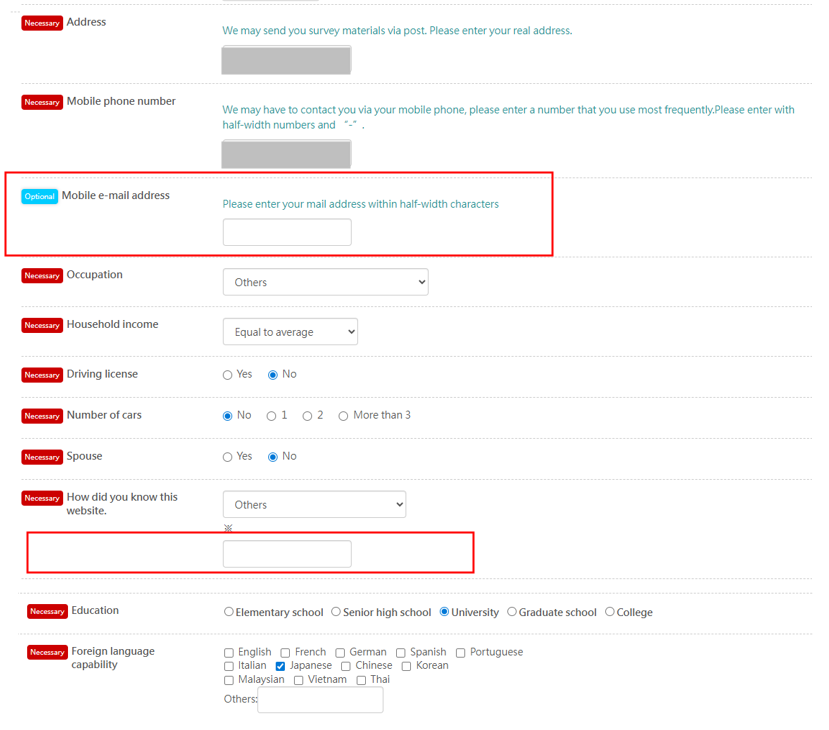
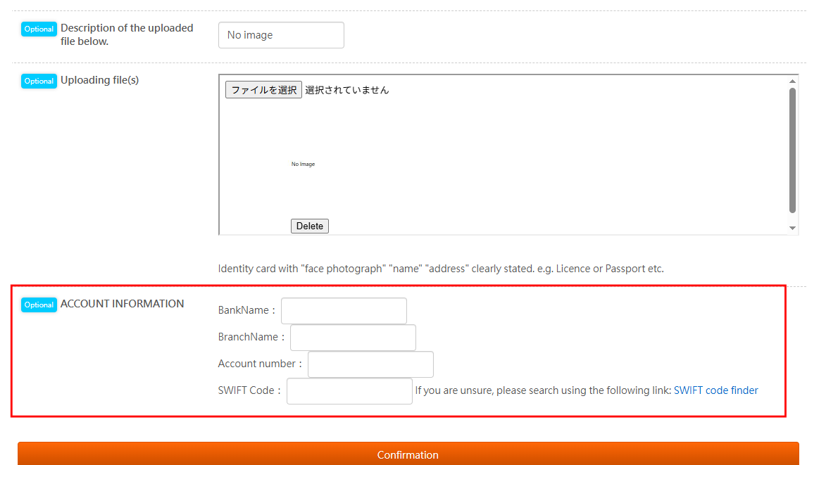
Once you have finished entering all the information, click 【Confirmation】 to complete the process.
Then, please try to accept the survey again.